We Offer 100% Placement Assistance (Any Degree / Diploma Candidates / Year GAP / Non-IT / Any Passed Outs). | Call Now – +91 76111 75111
We Offer 100% Placement Assistance (Any Degree / Diploma Candidates / Year GAP / Non-IT / Any Passed Outs). | Call Now – +91 76111 75111

Linux is one of the most widely used operating systems in the IT industry. It powers servers, cloud platforms, web hosting environments, and enterprise networks across the world. Learning Linux helps students and IT professionals build a strong foundation in system administration, networking, security, and cloud technologies.
At iTrainU Institute, our Linux Training in Indore is designed for beginners as well as working professionals who want practical, job-oriented skills. The course focuses on real-time learning through live server configuration, command-line practice, user management, file permissions, shell scripting, networking, process management, and troubleshooting. Instead of just learning theory, students work on hands-on projects that prepare them for real-world IT environments.
Our Linux Training in Indore is delivered by experienced industry trainers who provide step-by-step guidance, practical lab sessions, and interview preparation. Whether you want to become a Linux Administrator, DevOps Engineer, Cloud Engineer, or System Administrator, this training gives you the technical skills that employers look for.
Linux skills are in high demand because many organizations use Linux-based systems to run their applications and servers. Learning Linux opens opportunities in system administration, cloud computing, cybersecurity, and DevOps.
Our Linux Course in Indore provides practical learning with live servers and real-time exercises. The training starts with basic Linux concepts and gradually moves to advanced administration and troubleshooting techniques.
With our Linux Course in Indore, you will develop the confidence to work in professional IT environments. Whether you are a student or a working professional, the Linux Course in Indore helps you gain industry-ready skills for a successful career
Red Hat Enterprise Linux 8 – RHCSA Syllabus
Get started with Red Hat Enterprise Linux
Access the command line
Manage files from the command line
Get help in Red Hat Enterprise Linux
Create, view, and edit text files
Manage local users and groups
Control access to files
Monitor and manage Linux processes
Control services and daemons
Configure and secure SSH
Analyze and store logs
Manage Networking
Archive and transfer files
Install and update software
Access Linux files systems
Analyze servers and get support
RH134 - Red Hat System Administration II
Improve command line productivity
Schedule future tasks
Tune system performance
Control access to files with ACLs
Maintain basic storage
Manage logical volumes
Implement advanced storage features
Access network-attached storage
Control the boot process
Manage network security
Install Red Hat Enterprise Linux
Duration :
45 Days
Class Hours :
1:30 hour/day
Lab Practice :
1 hour/day
Certificate :
After completion of training
Study Material :
Online
Online Test :
Yes
Project :
Yes
Weekend & Weekdays Batch :
Yes





Our Linux Certification in Indore is designed for students, fresh graduates, and working professionals who want to build practical Linux skills for a successful IT career. The training focuses on hands-on learning, allowing you to work with real Linux environments instead of just studying theory.
During the course, you will learn Linux installation, command-line operations, file management, user administration, networking, shell scripting, and server management through practical lab sessions and real-world projects. This approach helps you develop the confidence to handle everyday tasks performed by Linux professionals in the industry.
Earning a Linux Certification in Indore demonstrates your practical knowledge and technical abilities to employers. Linux skills are in high demand across cloud computing, DevOps, cybersecurity, networking, and system administration. Completing our Linux Certification in Indore can strengthen your resume, improve your career opportunities, and prepare you for technical interviews with leading IT companies.
In this Linux course, you will receive complete training and hands-on practice sessions from experienced Linux professionals with extensive industry experience in system administration, server management, and Linux environments.
Our Linux course is carefully structured to cover everything from beginner to advanced level. The syllabus is regularly updated to match current industry requirements and the latest Linux technologies.
Learn Linux through interactive live sessions conducted by experienced professionals. Our practical training approach helps you understand concepts easily and apply them confidently in real-world environments.
As part of the Linux training program, you will work on live projects and lab activities that strengthen your understanding of Linux and prepare you for real IT environments.
After completing our Linux training, you will receive interview preparation support, internship opportunities, and job assistance to help you start your IT career with confidence.
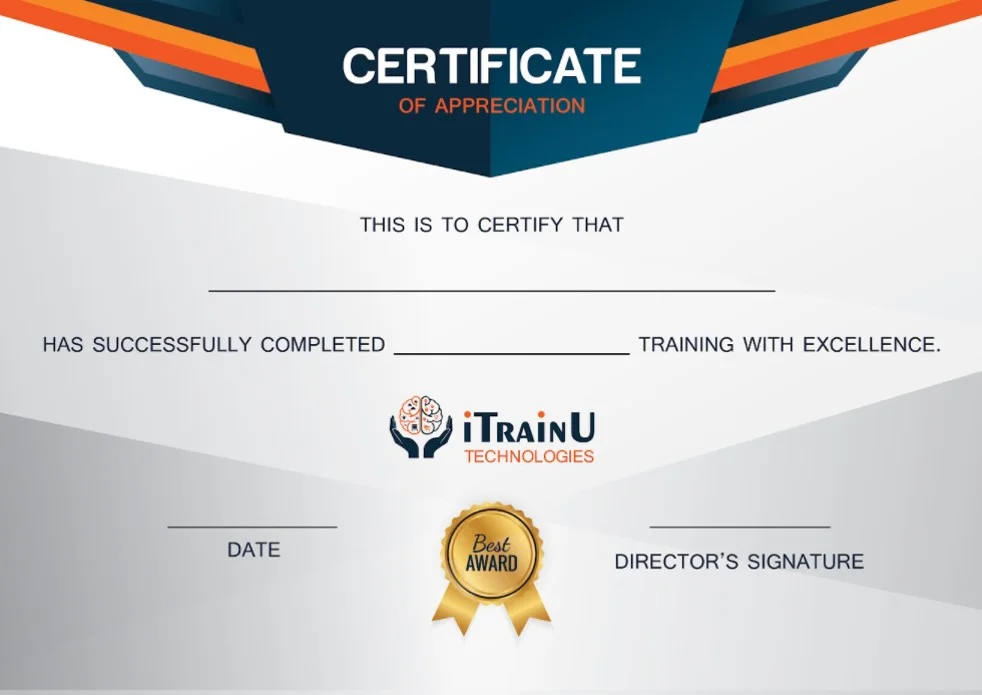
After successfully completing our Linux training course, you will receive a Linux Training Certification that can strengthen your resume and help you explore job opportunities with leading IT companies.












No. Programming knowledge is not required to start learning Linux. The course begins with basic concepts and gradually covers advanced topics.
Linux is widely used in cloud computing, web hosting, networking, DevOps, cybersecurity, and enterprise servers. Learning Linux can open up a wide range of career opportunities in the IT industry.
Yes. The course is designed for college students, and flexible batch timings make it easy to balance studies and training.
Yes. We offer flexible batch timings, including weekend and evening classes, so working professionals can easily balance their job and learning schedule.
The duration of our Linux Certification is 45 days. During this period, students receive practical training, hands-on lab sessions, real-world projects, and a course completion certificate. Flexible weekday and weekend batches are available for both students and working professionals.
After completing the course, you can apply for roles such as Linux Administrator, System Administrator, Technical Support Engineer, DevOps Engineer, Cloud Support Engineer, and Infrastructure Engineer in IT companies.