DevOps Training

DevOps Training Course Description

The DevOps Fundamentals and Best Practices course is designed to provide participants with a comprehensive understanding of DevOps concepts, methodologies, and tools, enabling them to bridge the gap between software development and IT operations.

This course focuses on promoting collaboration, automation, and continuous improvement to deliver high-quality software at a faster pace.

About DevOps Training Course

Devops speeds delivery of higher quality software by combining and automating the work of software development and IT operations teams.

ItrainU institute devops training in Indore is ideal for both fresher and experienced professional interested in a career as a devops expert. this course will teach you all need to know about devops and prepare you for a career in the corporate world.

ItrainU institute provide best practical online devops training in india with our 10+ year of expert faculty. they will help you to learn a skill and pass devops certification. We have partnerships with Many MNCs for supporting Placements.

Details

Duration :

 3 Months

Class Hours :

1:30 hour/day

Duration :

 1 hour/day

Certificate :

Yes After Training

Study Material :

Yes

Online Test :

Yes

Project :

 Yes

iTrainU Institute place picture
4.9
Based on 408 reviews
powered by Google

Tools Covered In DevOps Training

Git

A distributed version control system for tracking code changes and enabling collaborative development.

Nagios

A monitoring tool for tracking the availability, performance, and health of systems and network services.

Jenkins

An automation server used to build, test, and deploy software through continuous integration and delivery pipelines.

Kubernetes

A container orchestration platform for automating deployment, scaling, and management of containerized applications.

Maven

A build and dependency management tool for Java projects that standardizes project structure and lifecycle.

Docker

A containerization platform that packages applications and their dependencies into portable containers.

Puppet

A configuration management tool that automates infrastructure provisioning and system configuration.

Ansible

An agentless automation tool for configuration management, application deployment, and orchestration.

DevOps Course Syllabus

LINUX Basics: (RHCSA , RHCE)

  • Linux File system structure
  • Basic linux/unix commands
  • Changing file permissions and ownership
  • Filter commands
  • Simple filter and advance filter commands
  • Start and stop services
  • Basics Containers-
  • Find and kill the process with id and name
  • Package installation using RPM and YUM
  • Basic Servers and advance servers
  • Automation Technologies with Ansible Tools

Introduction to Devops

  • Define Devops
  • What is Devops
  • SDLC models,Lean,ITIL,Agile
  • Why Devops?
  • History of Devops
  • Devops Stakeholders
  • Devops Goals
  • Important terminology
  • Devops perspective
  • Devops and Agile
  • Devops Tools
  • Configuration management
  • Continuous Integration and Deployment

Introduction to Cloud computing

  • What is cloud computing
  • Characteristics of cloud computing
  • Cloud implementation models
  • Cloud service models
  • Advantages of cloud computing
  • Concerns of cloud computing

GIT: Version Control

Introduction
  • What is Git
  • About Version Control System and Types
  • Difference between CVCS and DVCS
  • A short history of GIT
  • GIT Basics
  • GIT Command Line
 
 
Installing Git , Git Essentials
  • Creating repository
  • Cloning, check-in and committing
  • Fetch pull and remote
  • Branching
  • Creating the Branches, switching the branches, merging the branches.

Chef for Configuration Management

Overview of Chef

  • Common Chef Terminology (Server)
  • Workstation, Client, Repository etc.
  • Servers and Nodes
  • Chef Configuration Concepts
 
Workstation Setup
  • How to configure knife
  • Execute some commands to test connection between knife and workstation
Organization Setup
  • Create organization
  • Add yourself and node to organization
Test Node Setup
  • Create a server and add to organization
  • Check node details using knife
Node Objects and Search
  • How to Add Run list to Node
  • Check node Details
 
Environments
  • How to create Environments
  • Add servers to environments
Roles
  • Create roles
  • Add Roles to organization
 
Attributes
  • Understanding of Attributes
  • Creating Custom Attributes
  • Defining in Cookbooks
  • Creating the data bags using CLI and Chef Console
  • Sample data bags for Creating Users
Data bags
  • Understanding the data bags
  • Creating and managing the data bags


Puppet for Configuration Management

Roles
  • Create roles
  • Add Roles to organization
Installation and Configuration
  • Installing Puppet
  • Configuring Puppet Master and Agent
  • Connecting Agents
 
Puppet Master
  • Puppet configuration files
Puppet Language Basics
  • The declarative language
  • Resources
  • Using Basic resources like file, exec, package service
  • Resource Collectors
  • Virtual Resources
  • Exported Resources
  • Manifests
  • Modules and Classes
  • Class Parameters
  • Defined Type
Templates
  • Static Contents Explosion
  • Using Dynamic Content with Templates
  • Templates Overview
  • ERB

Example Code Manifests/Modules
  • NTP Module
  • Users Module
  • SSH
  • Sudo
Puppet Forge
  • Understanding the Puppet Forge
  • Module structure
  • Install LAMP with preexisting modules
  • Installing Apache Tomcat with Puppet Modules

Puppet for Configuration Management

Introduction
  • Understanding continuous integration
  • Introduction about Jenkins
  • Build Cycle
  • Jenkins Architecture
Installation
  • Obtaining and installing Jenkins
  • Installing and configuring Jenkins using WAR and RPM
  • Java installation and configuration
  • Maven Installation
  • Exploring Jenkins Dashboard
Build Deployments
  • Understanding Deployment.
  • Tomcat installation and configuration
Jobs
  • Creating Jobs
  • Running the Jobs
  • Setting up the global environments for Jobs
  • Adding and updating Plugins
  • Disabling and deleting jobs
Securing Jenkins
  • Authentication
  • Jenkins Plugin
  • Authorization
  • Confidentiality
  • Creating users
  • Best Practices for Jenkins

Docker– Containers

Introduction
  • What is a Docker
  • Use case of Docker
  • Platforms for Docker
  • Dockers vs. Virtualization
Architecture
  • Docker Architecture.
  • Understanding the Docker components
Installation
  • Installing Docker on Linux
  • Understanding Installation of Docker on windows.
  • Some Docker commands.
  • Provisioning
Docker Hub
  • Downloading Docker images.
  • Uploading the images in Docker Registry and AWS ECS
  • Understanding the containers
  • Running commands in container
  • Running multiple containers
Custom imagest
  • Creating a custom image.
  • Running a container from the custom image
  • Publishing the custom image
Docker Networking
  • Accessing containers
  • Linking containers
  • Exposing container ports
  • Container Routing
Docker Compose
  • Installing The Docker compose
  • Terminology in Docker compose
  • Build word press site using Docker compose

Nagois

Introduction
  • About Monitoring tools
  • About New Relic
  • Installing and Configuring New Relic
  • Application Monitoring using New Relic
  • Server Monitoring using New Relic
  • Alerts policies

Kubernetes

Introduction To Kubernetes
  • Environment Setup and Configuration
  • High Availability
  • Running Code in Kubernetes
  • Container Life Cycles
  • Background Processing in Kubernetes
  • Integration with Continuous Delivery
  • Logging and Monitoring
  • Troubleshooting

Maven

Maven Overview
What Maven Provide?Coherent Organization of Dependencies
  • Local Maven repository
  • Central Maven repository
  • Remote Maven Repository
  • Locating dependency artifacts
Maven
Mavens Principles Maven’s Benefits Maven Environment SetUp
  • System Requirement
  • java installation verification
  • Get JAVA environment
  • Download Maven Archive
  • Extract Maven Archive and Configure Maven Environment Variables
  • Add Maven bin directory location to system path and verify Maven installation
Maven Origins
Declarative Execution
  • Maven’s project object model (POM)
  • Maven’s build life cycle
  • Create Java Project
  • Maven 2 Eclipse Plugin
  • Generate Documentation for Maven Project
  • Team Collaboration with Maven
  • Build and Test Java Project
  • External Dependencies
  • Create web application using maven
  • Project Creation from Maven Templates
  • Migrating to Maven

Upcoming Batch Schedule For DevOps Training

ITrainU Institute gives flexible batch timing to all students. Here are some batch schedules for DevOps training. If this batch schedule doesn’t match, let us know if possible, and we will arrange the batch according to your flexible timings.
 

Duration

(Mon – Sat) 45 Days
(Mon – Sat) 45 Days

Timings

7:00 AM to 8:00 AM
7:00 PM to 8:00 PM

DEVOPS Training

Build in-demand DevOps expertise with hands-on automation and CI/CD skills, expert-led instruction, and globally recognized industry certifications to accelerate your career.

Benefit of Online DevOps Training

Classroom DevOps Training

  • Live Training Sessions
  • Doubt Clearing Session
  • Job Assistance
  • Weekly Assignment will be given
  • Exam Preparation
  • Recorded Session Access for 6 Months
  • Training Certification that Accepted in globally
  • 2Hrs Daily Classes
  • Live Demo Session
  • Excellent Classroom Infrastructure
  • Doubt Clearing Session
  • Weekly Assignment Task
  • Delivered by Working Professionals
  • Training Certification that Accepted in globally

DevOps Training Certification Course

In this online devops training, you will learn all the primary topic, including git, cloud, jenkins, docker and nagois. Top libraries and much more is covered in detail with practicals.

What makes our devops online course the best in India is that it is 100% practical-oriented. Whether you are a beginner or have slight experience, we make sure that you become a professional in devops by the end of the training.

After the complete online devops training, you get a pro certificate, hands-on a total of many projects and prepared for cracking interviews with top companies around the country.
Why Learn Online DevOps Training With iTrainU?

Training by Experienced Trainer

The complete Devops course online led by industry experts who have 10+ years of experience in this field. They tech you real project work and all latest devOps tools.

project-configuration

Structured & Latest Curriculum

To make a one of the best online devops courses, we ensure that the entired curriculum is well structure and up to the date with latest devops trending.

Highly Engaging Live Classes

The Devops online classes highly interactive. you can ask your doubt, question anything relevant directly to the trainer and ensure efficient learning.

Work on real Projects

During the online Devops course, you will get to work on real live project. you will develop a practical knowledge that help in future.

100% Job Assistance

Upon completion of the online Devops course, you are prepared for interviews and aligned with top companies for getting high paying jobs.

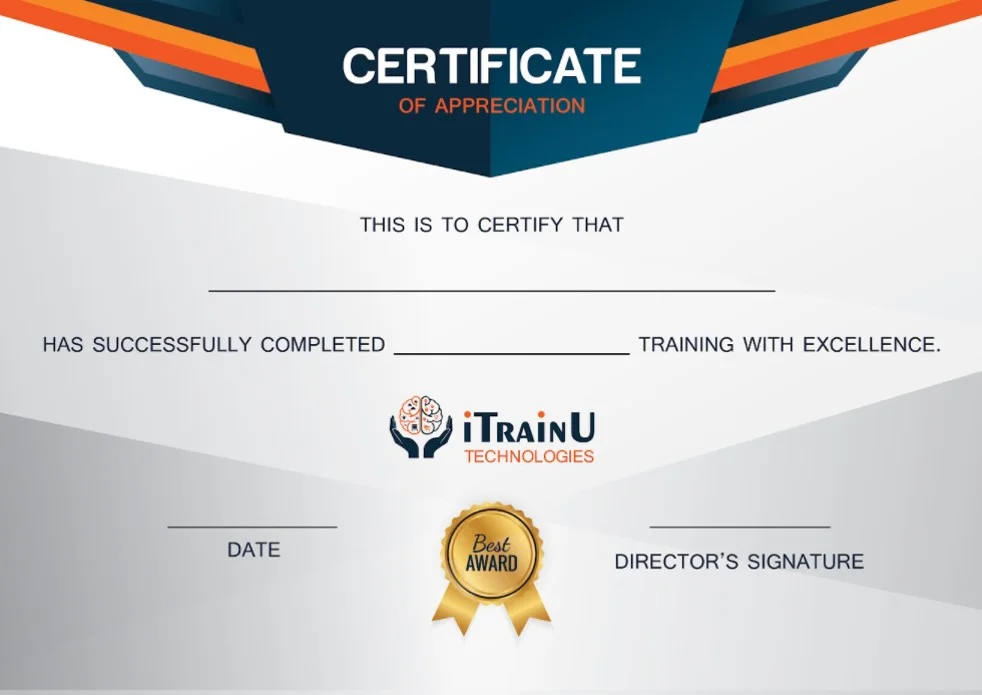
DevOps Training Certification

This is an online DevOps certification course, which mean you get a professional certificate that help you land your first job easily at good organizations.


Our Alumni Works at

DEVOPS Resume

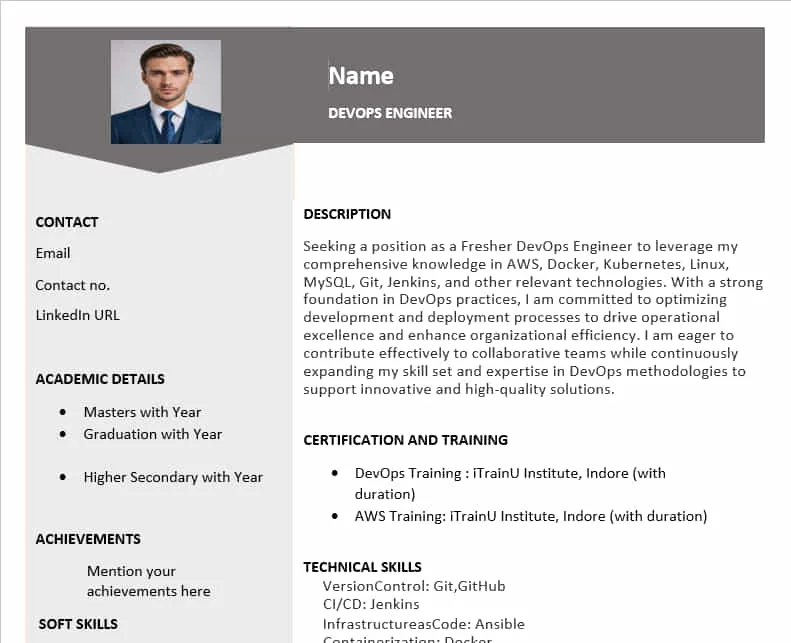
Completed comprehensive DevOps training covering core tools and technologies including Git, Cloud Platforms, Jenkins, Docker, Nagios, and related DevOps libraries. The program emphasized hands-on, practical implementation with real-world use cases and projects. Designed for both beginners and professionals with prior exposure, the training focused on building job-ready DevOps skills and industry best practices. Successfully completed multiple practical projects, earned a professional certification, and received structured interview preparation aligned with leading organizations.
DevOps Training Frequently Asked Questions (FAQ)

01. What is DevOps?

DevOps is a set of practices and cultural philosophies that aims to improve collaboration between software development (Dev) and IT operations (Ops) teams. It emphasizes automation, continuous integration and delivery, faster software releases, and a culture of collaboration.

Proficiency in scripting languages like Python, Bash, PowerShell, or Ruby can be valuable in DevOps. These languages are commonly used for writing automation scripts, creating deployment pipelines, and managing infrastructure through code. Additionally, familiarity with version control systems like Git is essential for collaborating on code changes and managing configuration.

DevOps can be pursued by both beginners and experienced professionals. Beginners can start by learning foundational concepts and gradually gaining hands-on experience. Experienced professionals can leverage their existing skills to transition into DevOps roles.

Entry-Level (0-2 years of experience): Entry-level DevOps professionals who have completed a course might expect a salary ranging from around ₹3,00,000 to ₹6,00,000 per year.

Mid-Level (2-5 years of experience): DevOps professionals with a few years of experience and relevant training could earn salaries ranging from ₹6,00,000 to ₹12,00,000 per year.

Experienced (5+ years of experience): For DevOps professionals with several years of experience and expertise, salaries could range from ₹12,00,000 to ₹20,00,000 or more per year.

Key principles of DevOps include automation, collaboration, continuous integration, continuous delivery/deployment, and monitoring.


1 Step 1

Have a project in mind or need expert advice? We’re here to help. Reach out to us and let’s talk about how we can take your business to the next level.

keyboard_arrow_leftPrevious
Nextkeyboard_arrow_right
FormCraft - WordPress form builder